

Integrating with Clio
This guide will walk you through the steps to integrate your Clio practice with ChartInsight.
ChartInsight can integrate with your Clio practice, automatically processing any medical records you upload to Clio.
Getting started
Categorizing medical records
First, ChartInsight needs to know which Documents in Clio are medical records. To simplify this process, ChartInsight will consider all Documents in a Category named Medical Records to be medical records. Please create this Category if you don't have it:
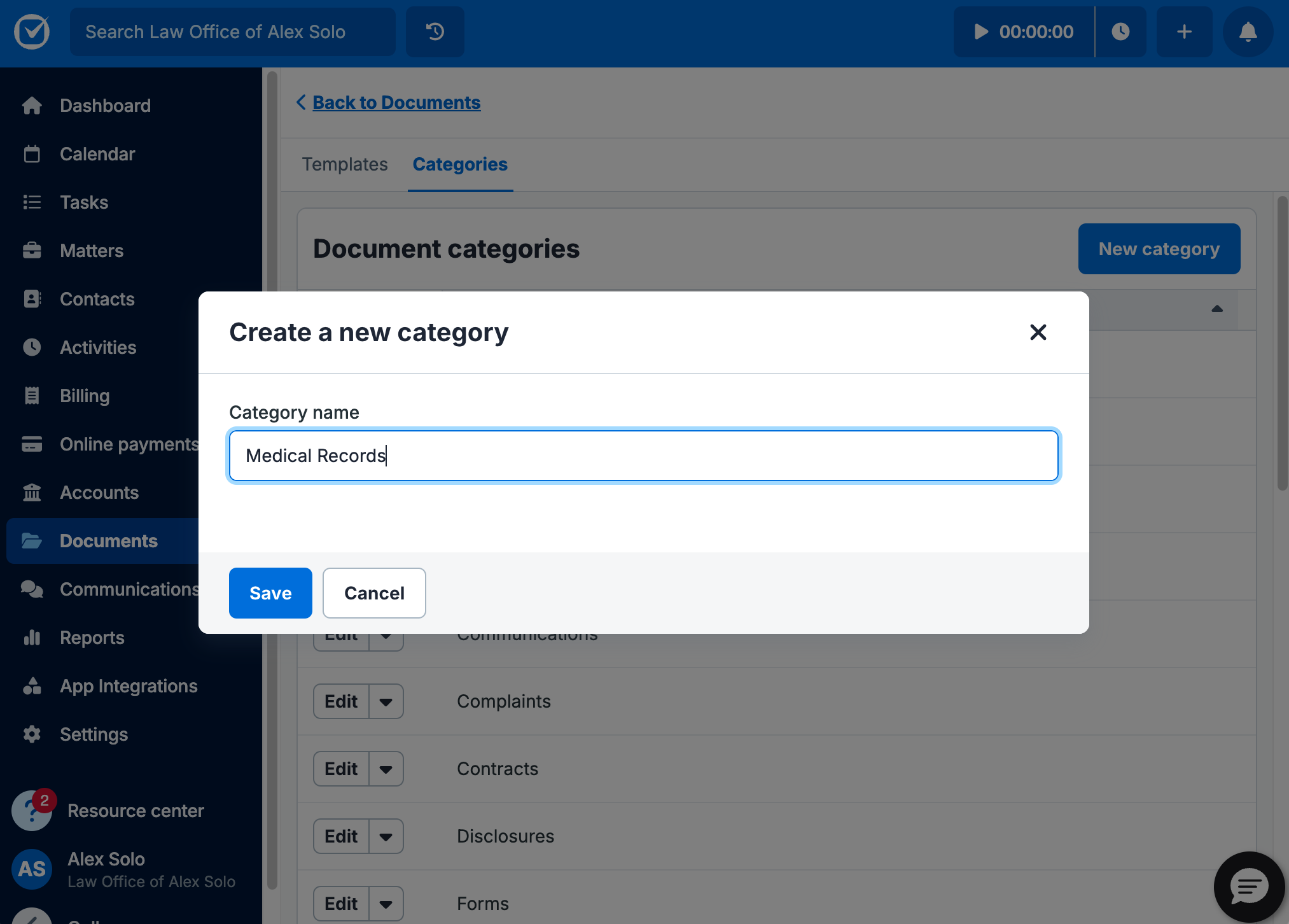
For more on Clio Document Categories, reference this guide.
Setting up the Integration
Next, go to the Integrations page of the ChartInsight web application and click the Enable button in the Clio box:
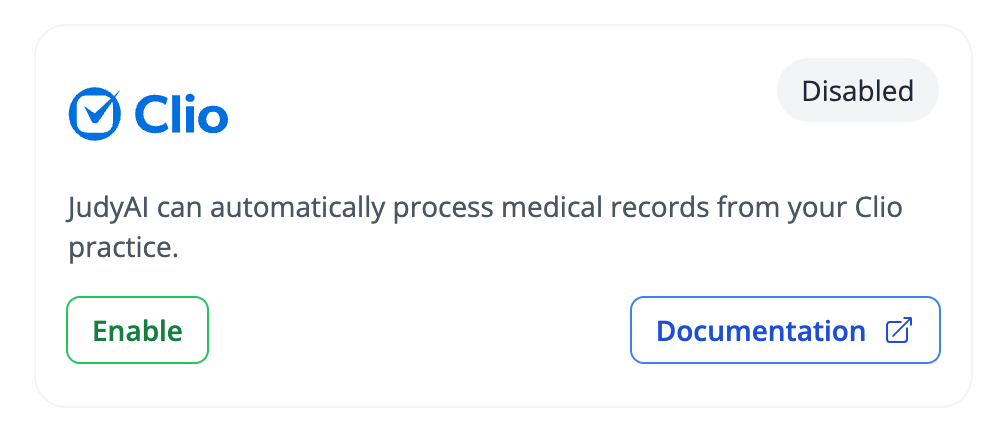
This will redirect you to a Clio prompt asking you to give permission for ChartInsight work with your Clio Documents. Click the Allow Access button to continue.
You're done!
Your integration is now set up!
ChartInsight will check for new Documents in the Medical Records category, process them, and then upload the processed version to Clio.
How ChartInsight works with Clio
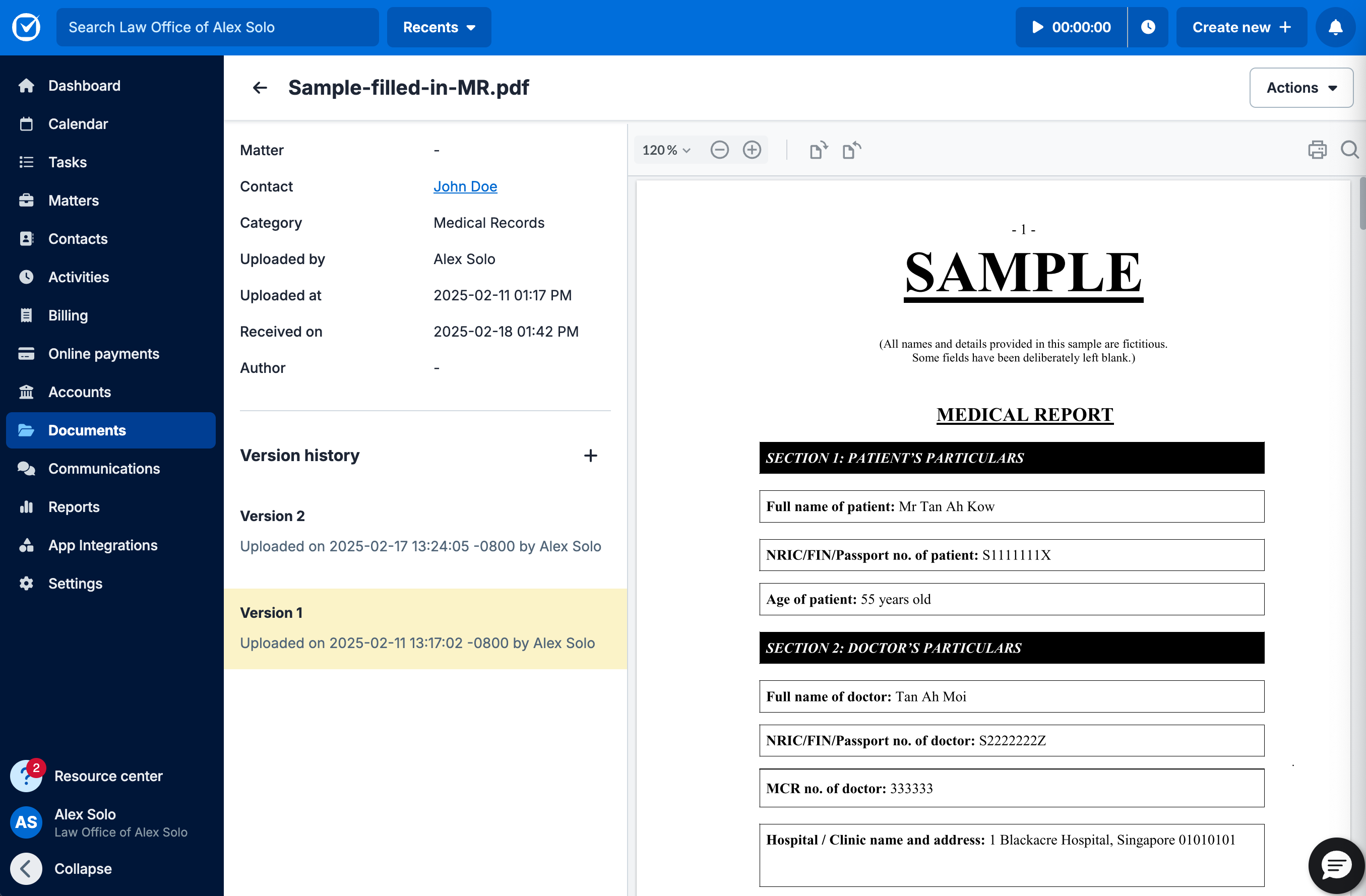
Whenever you upload a Document to Clio and categorize it Medical Records or move an existing document into the Medical Records category, ChartInsight will download the original version, as seen below:
Then ChartInsight will index and analyze the medical record and upload a new version to the same Clio Document:
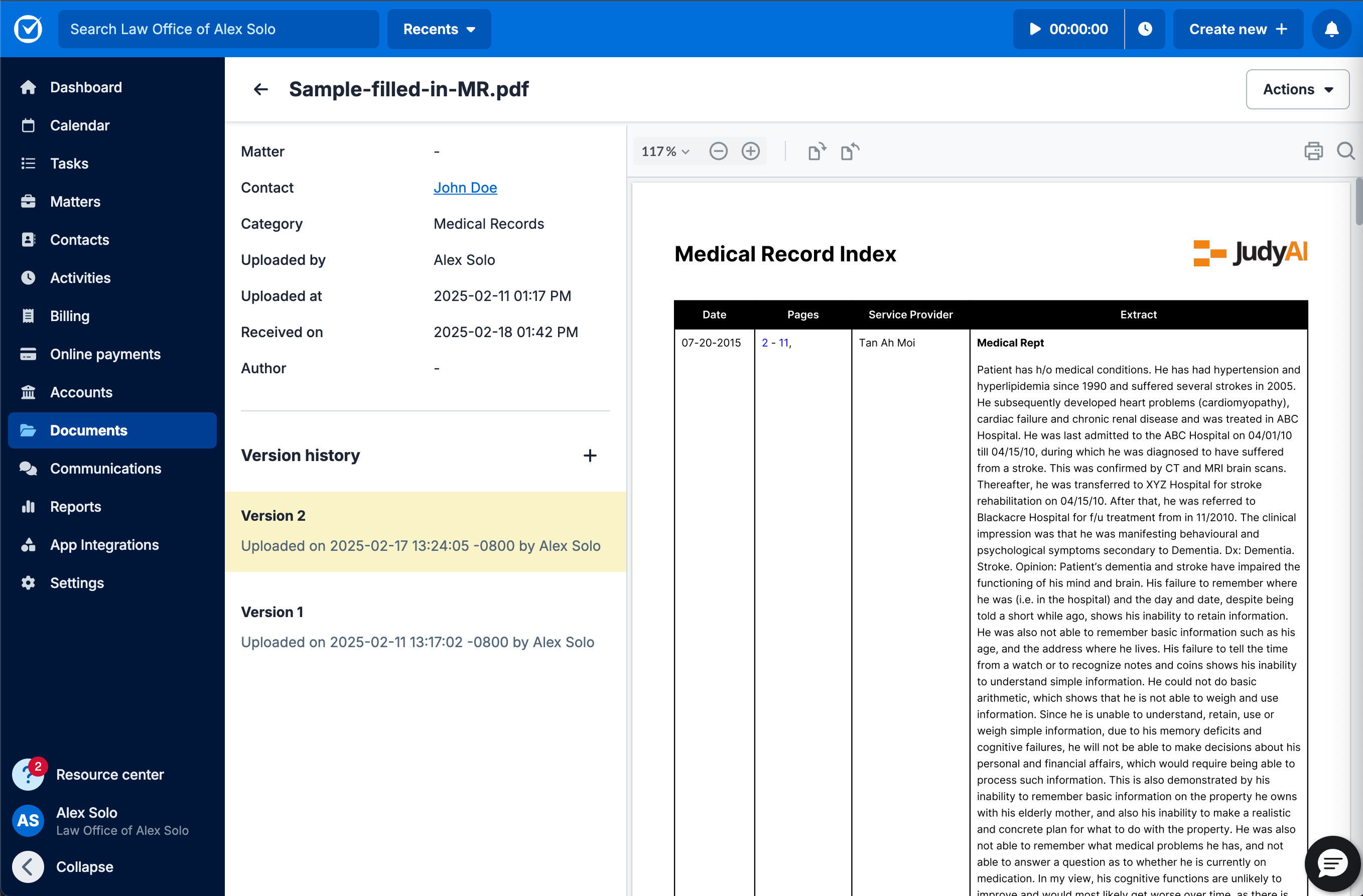
If you ever need to reference the original version, simply select it under Version history.